Revit MEP is a Building Information Modeling (BIM) software made by Autodesk. It helps engineers design mechanical, electrical, and plumbing systems inside a smart 3D model. Since its release in 2006, Revit MEP has become the most widely used tool for MEP BIM services in the United States and across the globe. It replaces old 2D drawing methods with a single intelligent model where all teams work together. The result is fewer mistakes, lower costs, and better buildings. This article explains the most important benefits of using Revit MEP and why construction professionals choose it over older tools like AutoCAD MEP.
Key Takeaways
- Revit MEP creates smart 3D models where every pipe, duct, and wire carries real data about size, material, and performance.
- Clash detection in Revit MEP finds conflicts between MEP systems, structural parts, and architectural elements before construction starts, saving up to 8 to 10 percent of total project costs.
- The Common Data Environment in Revit allows all engineers including mechanical, electrical, plumbing, and fire protection teams to work in one shared model at the same time, cutting errors caused by miscommunication.
- Revit MEP automatically generates accurate cost schedules and material quantity take-offs directly from the model, removing the need for manual counting and reducing cost overruns.
- Revit MEP connects with tools like Navisworks, Autodesk Insight, and Fabrication CADmep to support energy analysis, clash coordination, and direct fabrication from the same design model.
What Is Revit MEP and Why Does It Matter?
Revit MEP was released in 2006 after recognition that mechanical, electrical, and plumbing engineers needed a design application built specifically for their work. It contains tools created for tasks that MEP professionals need to accomplish every day, like modeling plumbing pipes, HVAC systems, and electrical wiring inside a single coordinated environment.
Before tools like Revit MEP existed, engineers worked on separate 2D drawings that did not communicate with each other. A mechanical engineer would draw ductwork. An electrical engineer would draw conduit runs. A plumbing engineer would draw pipe layouts. None of these teams could easily see whether their systems would fit together in the real building. Problems only showed up on the construction site and by then, fixing them was expensive and time consuming.
Digitization has been a significant part of construction and MEP engineering since the 1970s. Computer aided design (CAD) was introduced as a successor to traditional pen and paper drafting. Revit, a successor to CAD, was introduced in 1997 and acquired by Autodesk in 2002. It facilitated smart mechanical, electrical, plumbing, and fire protection models for MEPFP with detailed data integration built directly into the model.
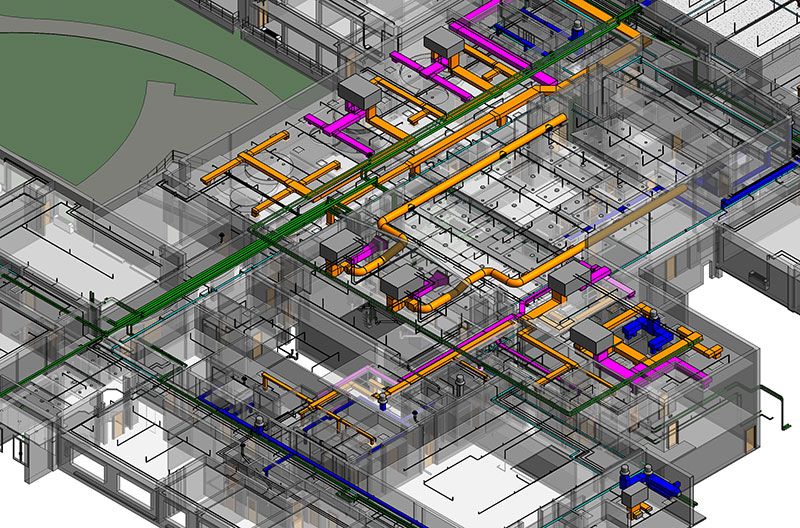
Today, Revit MEP is not just a drawing tool. It is a full BIM platform where every component in the model including every air handler, every light fixture, and every drain pipe carries real engineering data. That data drives better decisions, faster coordination, and more accurate project delivery from start to finish.
How Revit MEP Creates a Smarter Design Model
Parametric Modeling Changes How Engineers Work
The foundation of Revit MEP is parametric modeling. This means that every element in the model knows what it is, where it connects, and what properties it has. Revit MEP is built on a parametric modeling framework which allows project professionals to process smart 3D construction models that dynamically respond and adapt to design changes made at any point during the project.
When an engineer changes the size of a duct, every connected fitting, transition, and schedule updates automatically. There is no need to manually go back through dozens of drawings to make the same change over and over again. This alone saves significant time on every project and greatly reduces the risk of inconsistencies across the drawing set.
Every Component Carries Real Data
One of the clearest benefits of using Revit MEP is that the model holds far more information than any 2D drawing can carry. Each element stores its manufacturer details, performance specifications, installation requirements, and cost information. This living data set makes it possible to generate accurate reports, schedules, and analysis at any point in the project without starting from scratch each time.
Clash Detection: The Feature That Saves the Most Money
What Happens When Systems Conflict
In any large building, ductwork, piping, cable trays, electrical conduits, structural beams, and architectural elements all compete for the same space. Without coordination, these systems crash into each other, a problem known as a clash. Rework and material waste due to unresolved clashes can account for up to 30 percent of total project costs. On average, each unresolved clash found on site costs approximately $1,500 or more to fix.
BIM clash detection is the process of identifying conflicts between building components in a 3D model before construction begins. These conflicts are usually the result of different disciplines working in isolation. For example, an MEP layout may interfere with a structural beam, or an architectural wall may cut through a mechanical duct route. When these issues are not caught early, they turn into costly rework and on site delays that impact both budget and schedule.
How Revit MEP Catches Conflicts Before They Cost Money
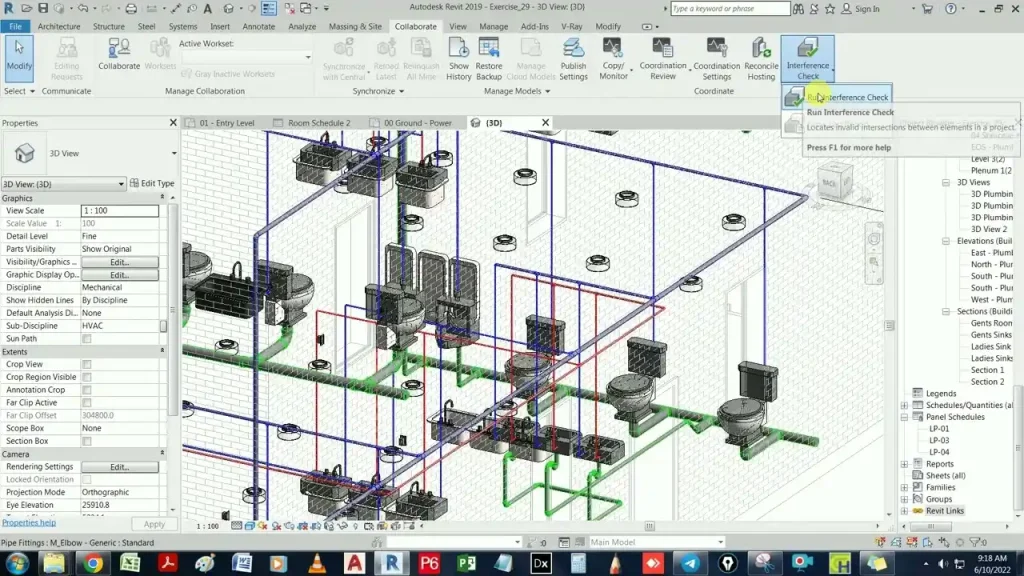
Clash detection in Revit MEP finds problems between ductwork, piping, electrical conduits, and structural parts early in the design phase. Navisworks Manage, Solibri, and BIM Track identify and resolve conflicts across MEP, architectural, and structural disciplines before anyone sets foot on the construction site.
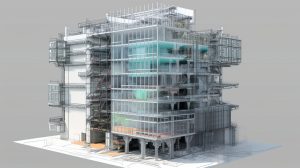
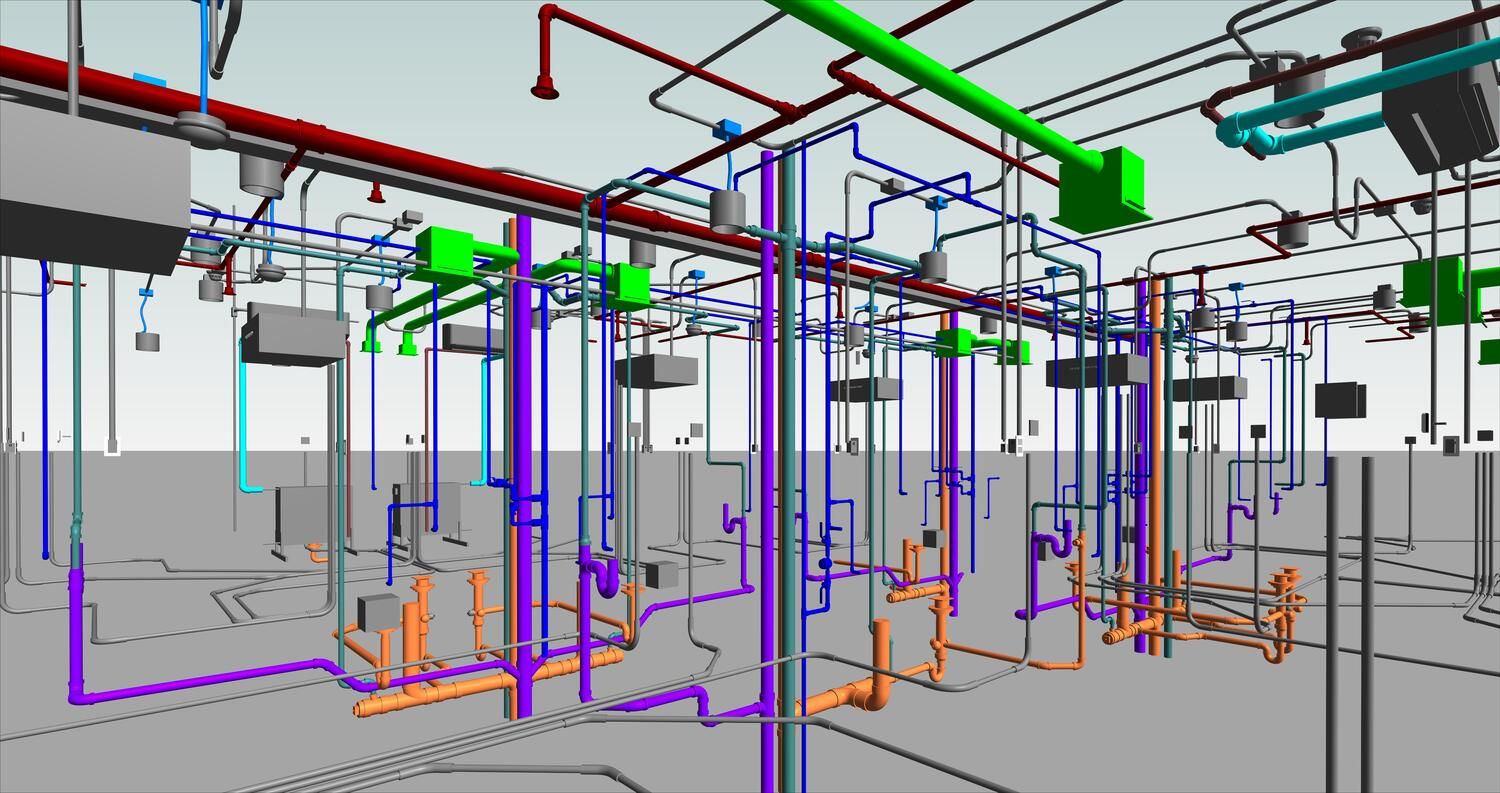
The process works by combining all discipline models including mechanical, electrical, plumbing, structural, and architectural into one unified view called a federated model. The software then runs automated checks to find every point where two elements try to occupy the same space. Teams review the results, resolve each conflict in the model, and re check until no clashes remain.
Real world outcomes confirm the financial value of this approach. A BIM team that used Revit integration with Navisworks to conduct weekly clash detection and coordination meetings was able to digitally detect and resolve over 1,800 clashes, save 8 percent of total project cost due to avoided rework, and accelerate project completion by 5 weeks. According to a McKinsey Global Institute report, rework can consume 5 to 15 percent of total construction costs. On even larger projects, a hospital project involving teams from the US, Singapore, and Germany used Revit clash detection to resolve more than 10,000 issues before construction was undertaken, saving nearly 10 percent in construction costs.
Clash Detection Data at a Glance
| Metric | Without Clash Detection | With Revit MEP Clash Detection |
|---|---|---|
| Rework cost share | Up to 30% of total project cost | Reduced by 8 to 10 percent |
| Average cost per unresolved clash | Approximately $1,500 or more | Resolved digitally at near zero cost |
| RFIs during construction | High volume throughout project | Up to 40 percent fewer |
| Design conflicts resolved before site | Minimal | Thousands resolved pre construction |
One Model, One Team: The Common Data Environment
Why Isolated Workflows Create Expensive Problems
Old construction workflows kept each discipline in its own box. Architects sent drawings by email. Structural engineers worked in separate files. MEP teams maintained their own drawings independently. When all these documents came together on site, the conflicts were inevitable and costly.
The platform allows mechanical engineers, electrical engineers, plumbing engineers, and other MEP professionals, along with experts from other departments, to work together on a shared BIM model through a secure Common Data Environment (CDE) framework that keeps every team member working from the same up to date information.
How the CDE Changes Project Delivery
Being a Common Data Environment, Autodesk Revit lets architects, engineers, and modelers work together in one place. Mechanical, electrical, and plumbing system modeling can be coordinated in one model. It creates a secured working environment and also reduces the chances of data loss caused by version confusion or file conflicts.
Multiple users can work in the same model at the same time. They can share and receive changes at any time by syncing with a central model. This allows MEP engineers to coordinate with other designers and also helps reduce potential errors and miscommunication that slow down project progress and inflate costs.
This means that when a structural engineer moves a beam, the MEP team can see the change immediately in their shared model. There is no waiting for updated drawings to arrive by email. There is no risk of working with outdated information. The model is always current for every team member on the project.
Scheduling and Cost Control Through 5D BIM
Where Design Meets Budget
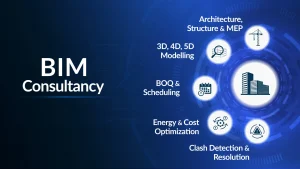
One of the most powerful and practical benefits of using Revit MEP is how it connects the design model directly to cost and material information. This is called 5D BIM, meaning the addition of cost as a fifth dimension to the standard 3D model.
Revit MEP allows MEP engineers to integrate the component of time and cost aligned with project resources to get a complete view and clear projection of construction processes and execution timelines. This gives project managers real time visibility into how design decisions affect the project budget.
Because every component in the Revit MEP model carries cost and quantity data, project managers can extract accurate bills of materials, equipment schedules, and quantity take-offs at any moment during the design process. When the design changes, the cost estimate updates automatically without anyone manually recalculating figures in a separate spreadsheet.
What Automated Scheduling Produces
| Schedule Type | What It Includes | Project Value |
|---|---|---|
| Equipment Schedules | All mechanical plant, electrical panels, and fixtures | Accurate procurement planning |
| Duct and Pipe Quantity Take-Off | Lengths, diameters, and materials | Precise material orders |
| Electrical Wiring Schedules | Circuit lengths and conduit sizes | Reduces over ordering waste |
| Valve and Fitting Counts | All connection components | Eliminates missing item claims |
| Room MEP Load Summaries | Per room HVAC and power loads | Validates system sizing decisions |
LOD 400 MEP models contain precise design details that are critical for developing billing of quantities (BOQ) to forecast accurate cost of a project. The MEP model is typically validated for constructibility and accuracy during the coordination and pre construction stage to ensure that all quantities and specifications are correct before procurement begins.
Energy Analysis and Green Building Support
Designing for Performance from Day One
Energy analysis and sustainability reporting is made possible by integrating Revit MEP with Autodesk Insight. This helps MEPFP engineers check HVAC efficiency, lighting loads, and building performance early in the design phase. This supports LEED compliance and green building certifications for projects across the United States and internationally.
Rather than checking energy performance after the design is finished when changes are expensive, Revit MEP allows engineers to test different equipment configurations, glazing options, and system layouts during the design stage. The result is a building that performs better without costing more to build.
Sustainability supports models and designs that use less energy. Engineers can ensure that every component fits together in a way that supports environmentally responsible construction, opening the door to successful green building outcomes and long term operational savings for building owners.
This capability has become increasingly important as green building certifications like LEED drive design decisions across the U.S. construction market. MEP engineers who can produce Insight backed energy reports directly from their Revit model deliver real and measurable value to clients pursuing sustainable building goals.
From Design to Fabrication Without Starting Over
Closing the Gap Between Office and Shop Floor
One of the most overlooked benefits of using Revit MEP is how far the design model can travel through the construction process. Revit works with Fabrication CADmep for shop drawings and field readiness. A model created in Revit can be exported as a MAJ file and brought directly into Fabrication CADmep for the production of shop drawings and field installation documentation.
This means the intelligent model that an MEP engineer builds in the design phase can be used directly to produce fabrication ready drawings for the ductwork shop, the pipe spooling yard, or the electrical prefabrication team. No rebuilding is needed. No re entering of data. No risk of translation errors between the design intent and what actually gets manufactured and installed on site.
The same accuracy that prevents clashes in the design model produces precise cut lengths, connection details, and material specifications for the fabrication floor, tightening the entire supply chain from design to installation.
Interoperability: Revit MEP Works With the Tools You Already Use
A Connected Platform, Not an Isolated System
Mechanical, electrical, plumbing, and fire protection system models can be exported, imported, and linked with common BIM and CAD formats including IFC, 3DM, SKP, and more. This broad interoperability means Revit MEP fits into any firm’s existing technology stack without forcing teams to abandon tools they already rely on.
Architectural models come in. Structural models link in. Lighting analysis goes out to Dialux. Clash coordination runs in Navisworks. Schedule data flows into project management platforms. Energy results feed from Autodesk Insight. Everything connects within a single coordinated digital workflow.
Revit MEP vs. AutoCAD MEP: Key Differences
| Category | AutoCAD MEP | Revit MEP |
|---|---|---|
| Model Type | 2D and 3D Drawing | Intelligent Parametric BIM Model |
| Collaboration | File based and isolated | Real time Common Data Environment |
| Clash Detection | Manual and limited | Automated and multi discipline |
| Cost Estimation | Manual count from drawings | Auto generated from model data |
| Energy Analysis | Not available | Built in via Autodesk Insight |
| Fabrication Support | Separate workflow required | Direct MAJ file export |
| Schedule Updates | Manual redrawing required | Automatic model linked updates |
| Interoperability | DWG and DXF focused | IFC, SKP, 3DM, and more |
The difference is not just about features. It is about how the entire project team works together. Revit MEP creates a connected, data driven workflow. AutoCAD MEP creates separate files that must be manually coordinated, which takes more time and introduces more room for error.
Reduced RFIs and Better Communication on Site
Fewer Questions Mean Faster Construction
Requests for Information (RFIs) are formal questions that contractors raise when the project documents do not answer a question clearly enough. Each RFI takes time to answer, delays work on site, and adds administrative cost to the project.
Integrating digital tools and precise coordination within Revit reduces the number of RFIs and design changes while improving scheduling, cost estimation, and reliable as built documentation. Because Revit MEP produces a fully coordinated 3D model that contractors can navigate and examine, many questions that would normally become RFIs are answered by the model itself.
The result, consistently reported across MEP BIM projects, is up to 40 percent fewer construction phase RFIs compared to projects delivered using traditional 2D drawing sets. This reduction translates directly into lower administrative costs, faster site progress, and fewer disputes between designers and contractors.
Who Gets the Most Value from Revit MEP?
Revit MEP is used by a wide range of professionals across the AEC industry. As the construction sector increasingly embraces MEP BIM services, mastering Revit MEP is no longer optional but a necessity for career growth and competitive project delivery.
| Professional Role | How Revit MEP Helps |
|---|---|
| MEP Engineers | Design HVAC, electrical, and plumbing systems in a coordinated 3D BIM model |
| BIM Coordinators | Manage multi discipline clash detection and model coordination |
| MEP Detailers | Convert design models into fabrication ready shop drawings |
| Project Managers | Access real time cost schedules and 4D construction simulations |
| Sustainability Consultants | Run energy analysis and support LEED certification documentation |
| Contractors | Reduce RFIs, improve site coordination, and reduce costly rework |
Conclusion
The benefits of using Revit MEP reach into every part of the construction process from the first design sketch to the last installed fitting. It replaces isolated, error prone 2D workflows with a single intelligent model where every engineer works together, every component carries real data, and every decision is backed by accurate information.
Revit MEP offers significant advantages for BIM projects including enhanced collaboration through a shared model that reduces miscommunication, improved accuracy through parametric modeling, time and cost savings through clash detection and automation, better decision making through analysis tools, streamlined documentation through automatic updates, sustainability support through energy analysis, and interoperability through open format integration. These benefits translate to higher quality projects delivered on time and within budget.
The numbers tell the same story. Projects using Revit MEP and its associated BIM tools consistently report fewer design conflicts, significantly lower rework costs, more accurate material estimates, and improved delivery timelines. Autodesk has confirmed that BIM gives teams greater visibility, better decision making, more sustainable options, and cost savings on AEC projects, and the focus on BIM is likely to increase further in the years ahead.
For MEP firms still working in 2D CAD, transitioning to Revit MEP is not just a technology upgrade. It is a shift in how projects are planned, coordinated, and delivered and it produces measurable, lasting improvements in every dimension of project performance.