Summary
Artificial intelligence in construction helps building teams plan better, work safer, control costs, and reduce mistakes. It uses tools like machine learning, computer vision, and natural language processing to study project data and turn it into useful insights.
AI can help with schedules, safety checks, bid review, document search, design planning, workflow automation, and progress tracking. It does not replace skilled workers. It supports project managers, estimators, engineers, safety teams, and field crews so they can make better decisions.
5 Key Takeaways
- AI helps construction teams find risks before they become bigger problems.
- It can support planning, estimating, safety, design, documents, progress tracking, equipment, and quality.
- Construction often works on tight margins, so reducing errors and direct costs is a major benefit.
- AI is useful, but people still need to check important results.
- The best way to start is to test one AI tool on one real business problem.
Introduction
Construction projects are hard to manage. A job may include owners, contractors, architects, engineers, suppliers, inspectors, and field crews. Each group depends on the other.
When one task is late, other tasks can slow down too. A missed drawing change can cause rework. A bad estimate can hurt profit. A safety risk can stop work and put people in danger.
This is why many companies are now looking at artificial intelligence in construction. AI can help teams use the data they already have. It can show risks, track progress, review documents, and support better decisions.
The goal is not to remove people from construction. The goal is to help people build with more control, less waste, and fewer costly surprises.
What Is Artificial Intelligence in Construction?
Artificial intelligence in construction means using smart software to support building work. AI can read data, find patterns, and give useful suggestions.
This data may come from project schedules, drawings, site photos, CCTV feeds, cost records, RFIs, submittals, safety reports, inspection notes, emails, and equipment systems.
For example, AI may show that a task is likely to run late. It may help find a design clash before work starts. It may review site photos and compare them with the project plan. It may also summarize long project documents so teams can find answers faster.
AI is part of modern construction technology. It works best when it supports skilled people and helps them make better choices.
What Technologies Power Construction AI?
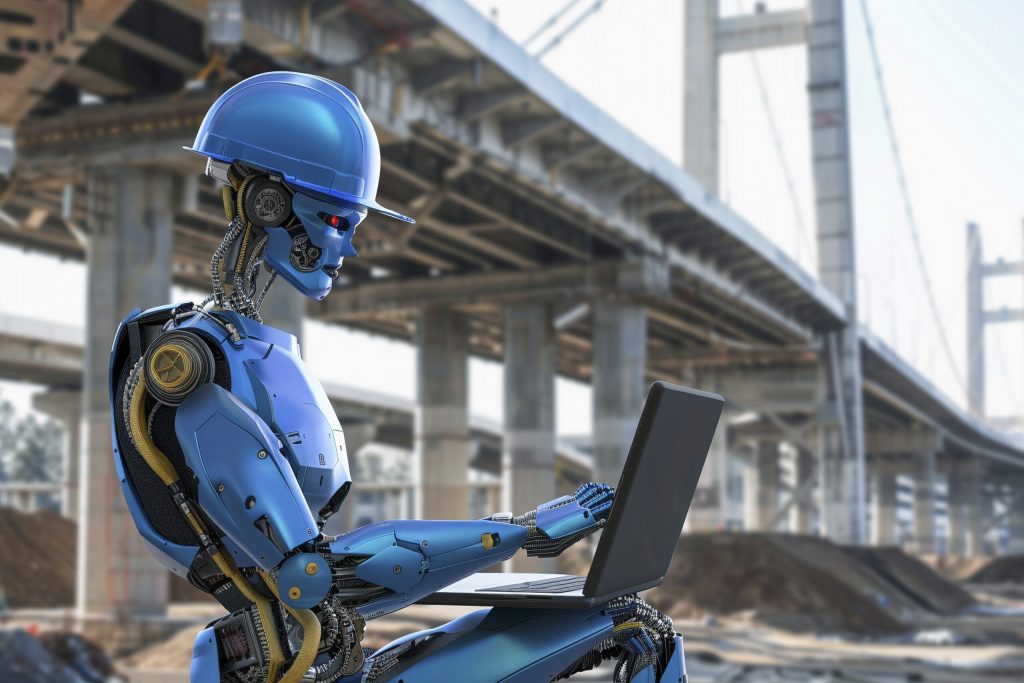
Construction AI is not one single tool. It uses different types of smart technology. Machine learning helps software study past project data and find patterns. For example, it may learn which types of tasks often cause delays or cost overruns.
Computer vision helps AI read images and videos. This is useful for site photos, drone images, CCTV feeds, and 360-degree jobsite captures. Natural language processing helps AI understand text. This is useful for contracts, RFIs, specifications, submittals, meeting notes, emails, and reports.
Together, these tools help construction teams turn project data into clear actions. Instead of only storing information, teams can use it to catch problems earlier.
Why AI Matters in Construction
Construction work moves fast. A project manager may need to answer questions about cost, time, labor, safety, and design in the same day. Without clear data, teams may act too late. They may find a problem only after it has already caused delays or extra costs.
AI helps by making project information easier to understand. Instead of searching through many files, teams can find answers faster. Instead of waiting for a delay to happen, AI can help warn the team sooner.
This can help both large and small construction companies. A large contractor may use AI to track many jobsites. A small contractor may use it for estimates, reports, schedules, and document search. The value of AI is simple. It helps teams make better decisions before small problems become expensive problems.
Why Cost Control Is One of the Biggest AI Benefits
Construction often works on tight profit margins. One missed cost, delay, or rework issue can reduce profit fast. This is why one of the most useful benefits of artificial intelligence in construction is reducing direct project costs. Saving office time is helpful, but stopping expensive mistakes is often more valuable.
AI can help teams catch errors before they become costly. It can flag missing bid details, review subcontractor exclusions, warn about schedule risks, and find design issues before work starts.
For example, if an AI tool finds that a subcontractor bid excludes a key item, the contractor can fix the issue before signing the contract. That small catch may prevent a costly change order later. AI is most valuable when it protects money, time, safety, and trust on real projects.
Main Uses of AI in Construction
Artificial Intelligence in Construction Management
Artificial intelligence in construction management helps teams plan, track, and manage daily project work. It can review schedules, past jobs, crew plans, delivery dates, cost records, and site updates. Then it can show which tasks need attention.
For example, if a material delivery is late, AI can show which tasks may be affected next. The team can then move crews, change the work plan, or contact the supplier before the delay grows.
AI for construction project management can help with schedule checks, progress updates, cost tracking, reporting, and risk review. AI does not run the project alone. It gives the project manager better information so they can act faster.
AI for Cost Estimating and Bid Review
Cost estimating is one of the most important parts of construction. A bid that is too low can reduce profit. A bid that is too high can lose the job.
AI can help estimators review past project costs, labor hours, material use, and bid history. It can help find missing items or cost gaps before the bid is sent. AI can also help compare subcontractor bids. It may extract prices, exclusions, inclusions, scope gaps, and key terms. This helps teams review bids with more care.
A skilled estimator still needs to review the scope, labor market, site needs, and client requirements. AI gives better data to support that work. AI can also help after the job starts. It can track cost changes, review change orders, and warn the team when the budget may be at risk.
AI for Site Monitoring and Safety
Safety is one of the most useful areas for construction AI. Jobsites change every day. Workers may be near heavy equipment, open edges, trenches, power tools, and moving materials.
AI tools can help safety teams spot risks faster. Some tools use cameras, sensors, site photos, or live CCTV feeds to find unsafe actions or unsafe areas.
For example, AI may detect missing hard hats, blocked walkways, workers standing too close to machines, or unsafe work zones. It can also help log site incidents and review safety reports.
If the same type of near miss keeps happening, the team can see the pattern and act before a serious accident happens. AI should never replace safety training, site walks, or strong supervision. It should support the people who are responsible for keeping workers safe.
AI for Document Management and Contract Review
Construction projects create many documents. These include contracts, drawings, RFIs, submittals, meeting notes, safety logs, inspection reports, specifications, and change orders.
Finding the right file can take time. Missing one small detail can cause confusion, delays, or rework. AI can help teams search documents faster. It can also summarize long documents, show open items, and flag missing information.
For example, a site manager may need to know which product was approved in a submittal. AI can help find the answer faster than manual search. AI can also help review contract language and subcontractor bids. It may pull out prices, exclusions, inclusions, dates, payment terms, and scope gaps. This gives teams a clearer view before they agree to the work. Important contract decisions should still be reviewed by qualified people.
AI for Design and Drawing Review
Design problems can be expensive when they are found late. If pipes, ducts, wires, and beams do not fit together, the team may need to stop work and fix the issue on site.
AI can help review drawings and building models before construction starts. It can help find clashes, missing details, or design parts that may be hard to build.
This often works with BIM, or Building Information Modeling. BIM gives teams a digital model of the building. AI can help review that model and find issues faster. Finding design issues early can save time, reduce rework, and improve team planning.
AI for Generative Design
Generative design uses AI to test different design options. It can help architects, engineers, and contractors compare layouts, structural options, electrical routes, plumbing paths, and mechanical systems before work starts.
For example, AI may help find a better route for plumbing or electrical systems. It may also help compare different layouts for cost, space, and buildability. This can reduce clashes and improve project planning.
AI should not approve a design alone. Engineers, designers, and licensed professionals must still review final plans.
AI for Progress Tracking
A project team needs to know what is really happening on site. Manual reports are useful, but they can take time. They may also miss details. AI can review site photos, drone images, videos, and schedule data. It can compare real site progress with the project plan.
For example, AI may help check if walls, floors, pipes, or finishes are complete in the right areas. It can then help create faster updates for owners and managers. Progress tracking can also help with payment checks, daily reports, and delay warnings.
AI for Project Scheduling
AI can help predict delays and suggest schedule changes. It can study past jobs, current progress, weather, labor plans, site conditions, and material delivery dates. If conditions change on site, AI can help show which tasks may need to move.
For example, if one crew is delayed, AI may show which future tasks will be affected. The project manager can then adjust the plan before the delay spreads.
This makes scheduling more active. The team does not have to wait until the problem is already serious.
AI for Workflow Automation
AI can also help with small daily tasks that take up too much time.
Construction teams can use AI with workflow software to summarize project emails, update daily diaries, flag key risks, create meeting notes, send reminders, or sort documents.
For example, an AI workflow may read a project email, create a task, and remind the right person to respond. Another workflow may summarize daily site notes and send them to the project manager.
This can save time, but teams should set clear rules. Important updates should be checked before they are sent to owners, clients, or subcontractors.
AI for Equipment Management
Heavy equipment costs a lot to buy, rent, fuel, and repair. If a machine breaks at the wrong time, the job may slow down. AI can read equipment data and help predict when a machine may need care. This is often called predictive maintenance.
For example, AI may notice that a machine is using more fuel than normal or running hotter than usual. The equipment team can inspect it before it fails. This can help contractors reduce downtime, plan repairs, and use machines more wisely.
AI for Quality Control
Poor quality can lead to rework, delays, and unhappy clients. It can also hurt a company’s reputation. AI can help inspect work using photos, checklists, and project data. It may help find cracks, wrong layouts, missing parts, or unfinished work.
AI can also help track repeated quality issues. If the same mistake keeps happening, the team can fix the process, not just the single defect. Better quality control helps protect time, money, and trust.
Simple Table: How AI Helps Construction Teams
| Area of Work | Common Problem | How AI Helps |
| Project management | Tasks and updates are hard to track | Finds risks and supports faster decisions |
| Estimating | Bids miss key costs | Reviews past data and cost gaps |
| Bid review | Exclusions are missed | Extracts prices, inclusions, and exclusions |
| Safety | Hazards are missed | Spots risky areas and unsafe actions sooner |
| Documents | Files are hard to find | Searches and summarizes project files |
| Design | Drawings have clashes | Finds issues before work starts |
| Scheduling | Delays spread across tasks | Predicts delay risks and task changes |
| Progress | Reports take too long | Checks site photos and updates faster |
| Equipment | Machines break down | Warns teams before failure |
| Quality | Defects are found late | Helps find errors sooner |
Examples of Construction AI Platforms
Some AI platforms are built for construction work. These tools can help with documents, site tracking, back-office work, and project control.
| Platform | Main Use | Helpful For |
| Trunk Tools | Specs, drawings, RFIs, submittals, and field tasks | Contractors managing many project documents |
| OpenSpace | 360-degree jobsite capture and progress tracking | Teams that need visual site records |
| Construction AI | Tenders, programmes, payment applications, site management, and document control | Contractors looking for back-office support |
These are only examples. The right tool depends on your project size, team needs, budget, and current software.
Before choosing any AI construction software, ask for a demo, test it on real project data, and check how well it fits your workflow.
Benefits of AI in Construction
Saves Time
AI can reduce time spent on simple tasks. These tasks may include searching files, sorting photos, checking reports, and preparing updates. When teams spend less time on admin work, they have more time to manage the project.
Reduces Costly Mistakes
AI can help find risks early. This may reduce rework, missed details, delays, and budget problems. Small problems are easier to fix when they are found early.
Improves Safety
AI can help safety teams see hazards faster. It can also help track patterns, such as repeated near misses in the same area. This gives safety teams more information to protect workers.
Supports Better Decisions
AI gives teams clearer data. This helps managers make choices based on facts, not guesswork. Good decisions are easier when the right information is easy to see.
Helps Control Budgets
AI can help track costs, review bids, and warn teams when the budget may be at risk. This helps protect profit and gives owners better cost updates.
Common Challenges of AI in Construction
AI can be helpful, but it is not perfect. Companies should understand the risks before they start. One common problem is poor data. AI needs clean and correct information. If files are missing, old, or wrong, the AI result may also be wrong.
Another challenge is trust. Some workers may not trust AI at first. This is normal. Simple training and clear use cases can help people see the value. Cost can also be a concern. Some AI tools are expensive. That is why it is smart to test one tool on one project before using it across the company.
Data privacy is also important. AI tools may use project, client, worker, or cost data. Companies should choose secure tools and set clear rules for how data is used. Most of all, people still need to review important results. AI can support decisions, but it should not make every decision alone.
Important Warning: AI Results Must Be Checked
AI can save time, but it can also make mistakes. This is very important for quantity takeoffs, drawing measurements, contract terms, safety risks, and cost decisions.
AI-generated quantity takeoffs and complex drawing measurements should be checked by an estimator or qualified professional before they are used in a bid.
The same rule applies to contracts, design decisions, and safety risks. AI can help find issues, but a trained person should make the final call. AI is a helper. It should not be the final authority for pricing, safety, legal, or design decisions.
Practical Tips for Using AI in Construction
Start with One Real Problem
Do not start by asking which AI tool looks the most advanced. Start by asking what problem you need to fix.
Maybe estimates take too long. Maybe documents are hard to find. Maybe safety reports are slow. Maybe progress updates are not clear. The best AI tool is the one that solves a real problem for your team.
Test AI on a Small Project First
Start with one project, one team, or one task. This lowers risk and helps the team learn.
For example, you may test AI for document search, site photo review, progress tracking, safety checks, or cost estimating. If the test works well, you can use it on more projects.
Keep Project Data Clean
AI works better when project data is easy to read. Use clear file names. Keep schedules updated. Store photos in the right folders. Remove duplicate files when possible. Clean data helps AI give better results.
Train People in Simple Words
Field teams do not need long technical lessons. They need to know what the tool does, when to use it, and how it helps their work. Training should be practical. Use real examples from real jobs.
Check AI Results
AI can make mistakes. A person should still check important results, especially for safety, cost, legal, and design decisions. Use AI as a helper, not as the final authority.
Measure the Value
Track simple results after using AI. Look at time saved, fewer delays, less rework, faster reports, better estimates, lower equipment downtime, or fewer safety issues. If the tool helps, keep using it. If it does not help, change the process or choose a better fit.
How to Choose AI Construction Software
Before buying AI construction software, ask a few clear questions.
Does it solve a real problem? Is it easy for the team to use? Does it work with your current tools? Can field teams use it without trouble? Is the data safe? Is the price clear? Does the company offer training? Can you test it first?
A good AI tool should make work easier. It should not add more confusion.
Also check what the tool does best. Some tools are better for document search. Some are better for progress tracking. Some are better for estimating, safety, or back-office work. The right choice depends on your main problem.
Will AI Replace Construction Workers?
AI will not replace good construction workers.
Construction still needs electricians, plumbers, carpenters, welders, operators, laborers, inspectors, engineers, and project managers. These people bring skill, judgment, and field knowledge.
AI can help with data, planning, reports, and risk checks. But people still build the project.A better way to think about it is simple: AI helps strong construction teams work with more control.
Conclusion
Artificial intelligence in construction can help companies work safer, plan better, control costs, and reduce mistakes.
It can support project management, estimating, bid review, safety, drawings, documents, progress tracking, scheduling, workflow automation, equipment care, and quality control.It is most useful when it solves a real problem and fits the way the team already works.
The best way to start is simple. Pick one problem. Test one tool. Train the team. Measure the result. AI is useful when it helps people do better work. That is its real value in construction.