
Summary
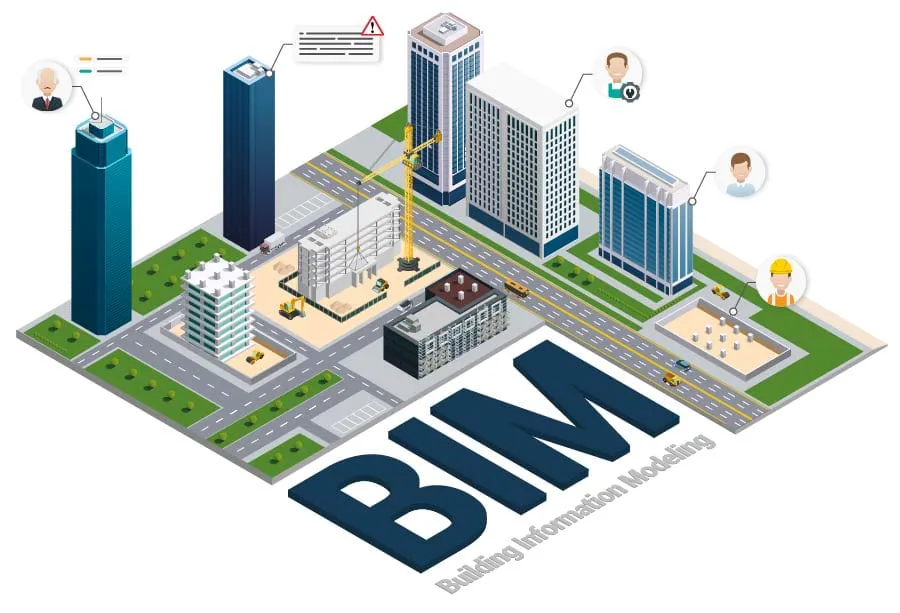
BIM management is the process of managing digital building models, project files, and construction data. It helps architects, engineers, contractors, and owners work from the same clear information.
A good BIM process can reduce mistakes, improve teamwork, avoid clashes, and make handover easier. It can also support facility management after the building is complete.
5 Key Takeaways
- BIM management helps teams control models, files, and project data.
- A BIM manager keeps the BIM process clear and useful.
- BIM coordination helps teams find clashes before site work starts.
- BIM data management helps keep project information clean and trusted.
- Good BIM planning can support design, construction, handover, and facility management.
Introduction
Construction projects have many moving parts. Architects create layouts. Engineers design structure and building systems. Contractors plan how the work will happen. Owners need clear building information at the end.
When this information is not managed well, problems can happen. One team may use an old drawing. A pipe may clash with a beam. A model may miss key data. These small issues can lead to delays, rework, and extra cost.
BIM management helps prevent these problems. It gives the project team a clear way to create, check, share, and use building information. It helps people use the right file, at the right time, for the right decision.
What Is BIM Management?
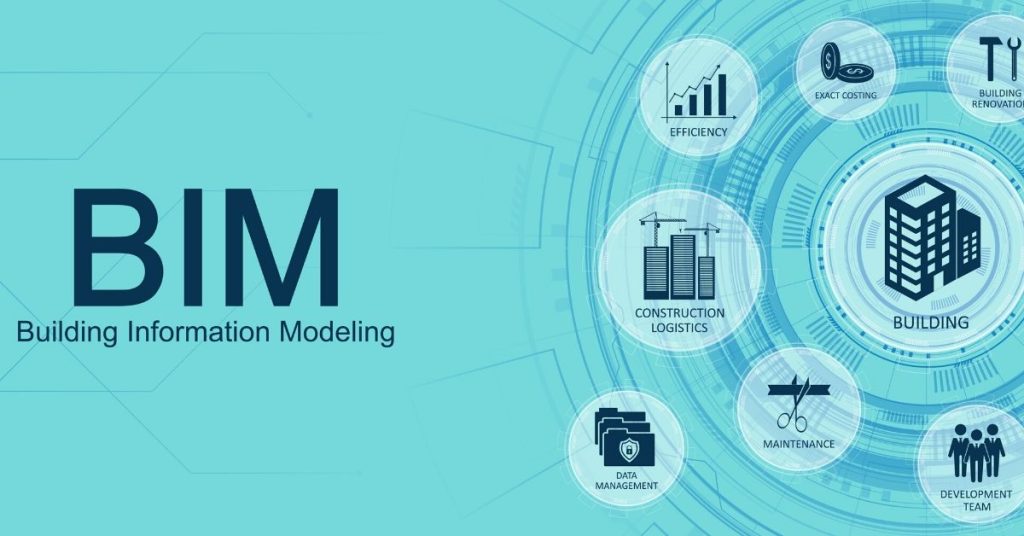
BIM stands for Building Information Modeling. It is a digital way to create and manage building information. Many people think BIM is only a 3D model, but it is more than that.
A BIM model can include data about rooms, doors, equipment, materials, systems, and assets. This data can help during design, construction, handover, and building operation.
So, what is BIM management in simple words?
It is the process of organizing, structuring, checking, and tracking BIM models, files, and data across a project. It helps the team know who creates each model, who checks it, where files are saved, and what information must be delivered.
Without a clear process, BIM can become messy. With a clear process, BIM becomes a useful tool for teamwork, project control, and long-term building management.
Why BIM Matters in Construction
Many site problems start long before work begins on site. They often start with unclear or outdated information.
For example, the design team may change the ceiling height. But the MEP team may still use the old layout. Later, workers may find that ducts and pipes do not fit. Work may stop while the issue is fixed.
BIM construction management helps reduce this kind of risk. It connects model information with real project needs. It also helps teams find design issues before they become site problems.
For owners, BIM is useful after the project is complete. A well-managed BIM process can support better handover data, such as asset details, maintenance notes, warranty information, and final drawings.
BIM Management Across the Building Lifecycle
BIM is not only useful during design. It can support the full building lifecycle. This means it can help during early planning, design, construction, handover, and facility management.
During design, BIM helps teams review layouts, spaces, and systems. During construction, it helps teams coordinate models, track issues, and reduce site errors. During handover, it helps owners receive useful building data.
In some projects, BIM data may also support a digital twin. A digital twin is a connected digital record of a real building or asset. It can help owners track and manage the building after construction.
But not every BIM model is a digital twin. A project needs the right data, tools, and update process for that.
What Does a BIM Manager Do?
A BIM manager leads the BIM process. This person helps the project team follow agreed rules, standards, and workflows.
A BIM manager is not only a software user. They also need to understand design, construction, data, and people. Their job is to make the BIM workflow clear and useful.
A BIM manager may prepare the BIM Execution Plan, set model standards, manage file naming rules, support the Common Data Environment, plan model reviews, check model quality, help with clash detection, and support handover data.
They also help teams communicate. If models are late, files are unclear, or issues are not fixed, the BIM manager helps bring the right people together.
BIM Management vs BIM Coordination
BIM management and BIM coordination are linked, but they are not the same. BIM management looks at the full process. It covers goals, roles, standards, file sharing, data needs, model checks, cloud collaboration, and handover.
BIM coordination is more focused on checking models from different teams. It helps find and fix clashes between architecture, structure, and MEP models.
| Area | BIM Management | BIM Coordination |
| Main focus | Full BIM process | Model checks and clash review |
| Main goal | Keep the workflow clear and controlled | Find and fix model conflicts |
| Common tasks | BEP, standards, CDE, data control, handover | Clash detection, issue tracking, model review |
| Main role | BIM manager | BIM coordinator |
| Best use | Project planning, control, and lifecycle data | Design and construction coordination |
Both roles matter. One sets the system. The other helps the models work together inside that system.
Main Parts of a Good BIM Process
A good BIM process does not need to be confusing. It should help the team do better work with less guesswork.
BIM Execution Plan
A BIM Execution Plan is often called a BEP. It explains how BIM will be used on the project. A BEP may include project goals, team roles, software tools, file formats, naming rules, model sharing dates, review steps, clash detection rules, and handover needs.
The BEP should be easy to read. It should not be a long document that no one uses. It should give the team clear rules they can follow during the project.
Common Data Environment
A Common Data Environment, or CDE, is a shared place for project files. It may hold models, drawings, reports, schedules, comments, approvals, and handover files. The CDE helps the team find the latest information and avoid old versions.
This is a key part of BIM data management. Many mistakes happen because files are stored in too many places or named in unclear ways.
Cloud-Based Model Coordination
Many teams now work in cloud-based project platforms. This helps architects, engineers, contractors, and clients review updated information from different locations.
Cloud coordination can help teams see the latest model, review changes, assign issues, and track updates. This is useful when many teams are working at the same time.
The tool is helpful, but the process still matters. The team still needs clear rules for naming, sharing, reviewing, and approving information.
Model Standards
Model standards tell each team how to create and share models. These rules may cover file names, model origin, grid setup, level names, object names, data fields, drawing views, and sharing dates.
When all teams follow the same standards, model review becomes easier. Without standards, each team may work in a different way, which can slow the project down.
Clash Detection
Clash detection helps find design conflicts in the model. A clash may happen when a duct hits a beam, a pipe blocks a door, or equipment has no space for repair. Finding these problems in the model is better than finding them on site.
But clash detection only works when issues are fixed. Each clash should have an owner, a due date, and a clear status.
Issue Tracking
Finding an issue is only the first step. The team must track it until it is closed. A simple issue log should show what the problem is, who must fix it, when it is due, and how it was solved. This helps the team stay responsible. It also helps stop the same problems from coming back again.
Handover Data
At the end of the project, the owner needs useful building information.
This may include equipment details, asset tags, product data, warranty information, maintenance notes, final models, and final drawings.
Good BIM planning starts this early. If the team waits until the end, handover can become rushed and incomplete.
Common BIM Management Tools
BIM teams often use digital tools to manage models, files, issues, and data. The right tool depends on the project size, client needs, team skills, and budget.
Common tool types include model coordination tools, Common Data Environment tools, issue tracking tools, BIM planning tools, and facility management tools.
Examples include Autodesk Forma and Autodesk Construction Cloud tools for model coordination, issue management, and clash detection. Plannerly is used for BIM planning, BIM standards, tasks, deliverables, and ISO 19650 workflows. Newforma Konekt, linked with BIM Track history, is used for BIM coordination, issue tracking, 2D and 3D model viewing, and design-tool connections.
These tools can help, but they do not replace good project control. A tool will not fix poor file naming, weak communication, or unclear roles. The process must come first.
BIM Standards and Training
BIM management works best when the team follows clear standards.
Many projects use BIM Execution Plans, Common Data Environments, naming rules, model checks, and information requirements to keep work organized.
Larger projects may also use ISO 19650-based information management. This helps teams plan, share, review, and deliver information in a more consistent way.
Training is also important. BIM managers, coordinators, and model authors should understand both software and project workflows.
Useful training areas include BIM Execution Planning, model coordination, clash detection, CDE use, model audits, cloud collaboration, and handover data preparation.
Benefits of BIM Management
BIM management can help many parts of a construction project.
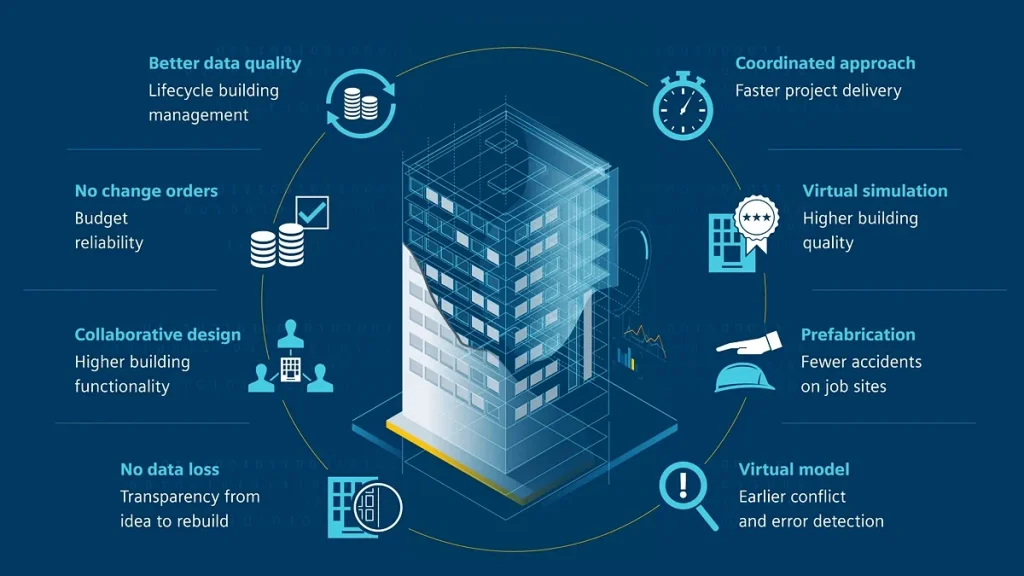
It improves teamwork because everyone knows where files are stored, when models are shared, and how issues are reviewed. This reduces confusion and helps people make better decisions.
It can also reduce design errors. BIM coordination and clash detection help teams find problems early, before workers face them on site.
File control is another key benefit. A shared file system helps teams use the latest information. This matters because old drawings and models can cause serious site issues.
BIM can also support better cost control. Rework, delays, and missed information can increase project cost. A clear BIM process helps reduce these risks by improving planning and information control.
For owners, the biggest value may come at handover. Clean data and final models can make building operation and maintenance easier.
Common Problems to Avoid
BIM can help a project, but only when the process is clear. These are common mistakes that teams should avoid.
Starting Without a Clear Goal
Some teams use BIM because the client asks for it, but they do not know what they want from it.
Before modeling starts, the team should agree on the main goal. The goal may be to reduce clashes, improve reviews, support cost planning, or prepare better handover data.
Adding Too Much Detail Too Early
A model does not need every small part at the start. Too much detail can slow the team down. The model should match the project stage. Early design needs a different level of information than construction or handover.
Poor File Naming
Bad file names make files hard to find and easy to misuse. Clear naming rules help teams understand what each file is, who made it, and what version it is.
Weak Communication
BIM software cannot replace good teamwork. Teams still need clear meetings, notes, actions, and follow-up. The best BIM process is simple enough for people to use every day.
No Model Checks
If models are not checked often, errors can grow. Regular model audits help keep the model clean, useful, and ready for review.
When Do You Need BIM Services?
You may need BIM support if your project has many design teams, complex building systems, large models, strict client requirements, poor file control, or handover data needs.
You may also need support if the project has repeated coordination issues. If clashes keep appearing late, or teams keep using old files, the BIM process may need stronger control.
Small projects may not need a full-time BIM manager. But they still need someone to control models, files, and data. For larger projects, a BIM manager can reduce risk and keep teams aligned.
Practical Tips for Better BIM Management
Good BIM management does not have to be complex. A few simple habits can make a big difference.
Start with clear goals. Do not begin modeling without knowing what the project needs from BIM. It may need clash detection, better design reviews, cost data, construction planning, or handover support.
Keep the BEP simple. The BIM Execution Plan should help the team work better. Focus on clear roles, dates, file rules, review steps, and deliverables. Use one shared file location. Store models and drawings in one agreed place. This helps stop version mistakes and makes it easier to find the latest information.
Check models often. Do not wait until the end of a design stage. Regular checks help catch problems early, when they are easier to fix. Track issues clearly. Each issue should have an owner, due date, and status. This helps the team close problems instead of only talking about them.
Plan handover from the start. Ask the client what information they need at the end. Then collect that data during the project. Train the team. A BIM process only works if people understand it. Give simple training on file naming, model sharing, CDE use, issue tracking, and model reviews.
How to Choose a BIM Partner
If you plan to hire a BIM company or consultant, look for practical project experience. Ask if they have worked on similar projects. Check if they can prepare a clear BIM Execution Plan, manage coordination, support clash detection, set up a CDE, and help with handover data.
A good BIM partner should make the process clearer. They should not make the work harder than it needs to be.
Also, look for clear communication. A partner who explains things in simple words is often easier to work with than one who only talks about software.
FAQs
What is BIM management?
BIM management is the process of planning and controlling how BIM models, files, and data are created, checked, shared, and used on a project.
Why is BIM management important?
It helps reduce confusion, improve teamwork, find design issues early, and prepare better information for handover.
What is BIM data management?
BIM data management means keeping project model data clean, organized, and useful. It helps teams trust the information inside the model.
What is BIM construction management?
BIM construction management means using BIM during construction planning and delivery. It can support coordination, sequencing, site planning, and issue control.
What tools are used for BIM management?
Common tools include platforms for model coordination, clash detection, file sharing, issue tracking, BIM planning, and handover data. Examples include Autodesk tools, Plannerly, and Newforma Konekt.
Do small projects need BIM management?
Small projects may not need a full-time BIM manager, but they still need clear rules for models, files, and project data.
Conclusion
BIM management helps construction teams manage models, files, data, and workflows in a clear way. It helps reduce confusion, improve teamwork, and find design issues before they reach the site. It also helps owners receive better building information at handover.
BIM is not just about software or 3D models. It is about using trusted information to make better project decisions. When the process is managed well, the project team can work with less guesswork and more control.